USCIS photo requirements for green card, I-485 and I-765 explained in detail
Reviewed July 2026. Based on USCIS form instructions and Policy Manual guidance — always check the latest instructions for the specific form and filing category you are submitting.
USCIS immigration filings such as Form I-485 for adjustment of status and Form I-765 for employment authorization commonly require two identical color passport-style photographs. The photos must be recent, 2 × 2 inches, printed correctly, unmounted, unretouched, and labeled on the back with your name and A-Number if you have one. This guide explains the official USCIS requirements and shows what to check before you print or submit your immigration photos.
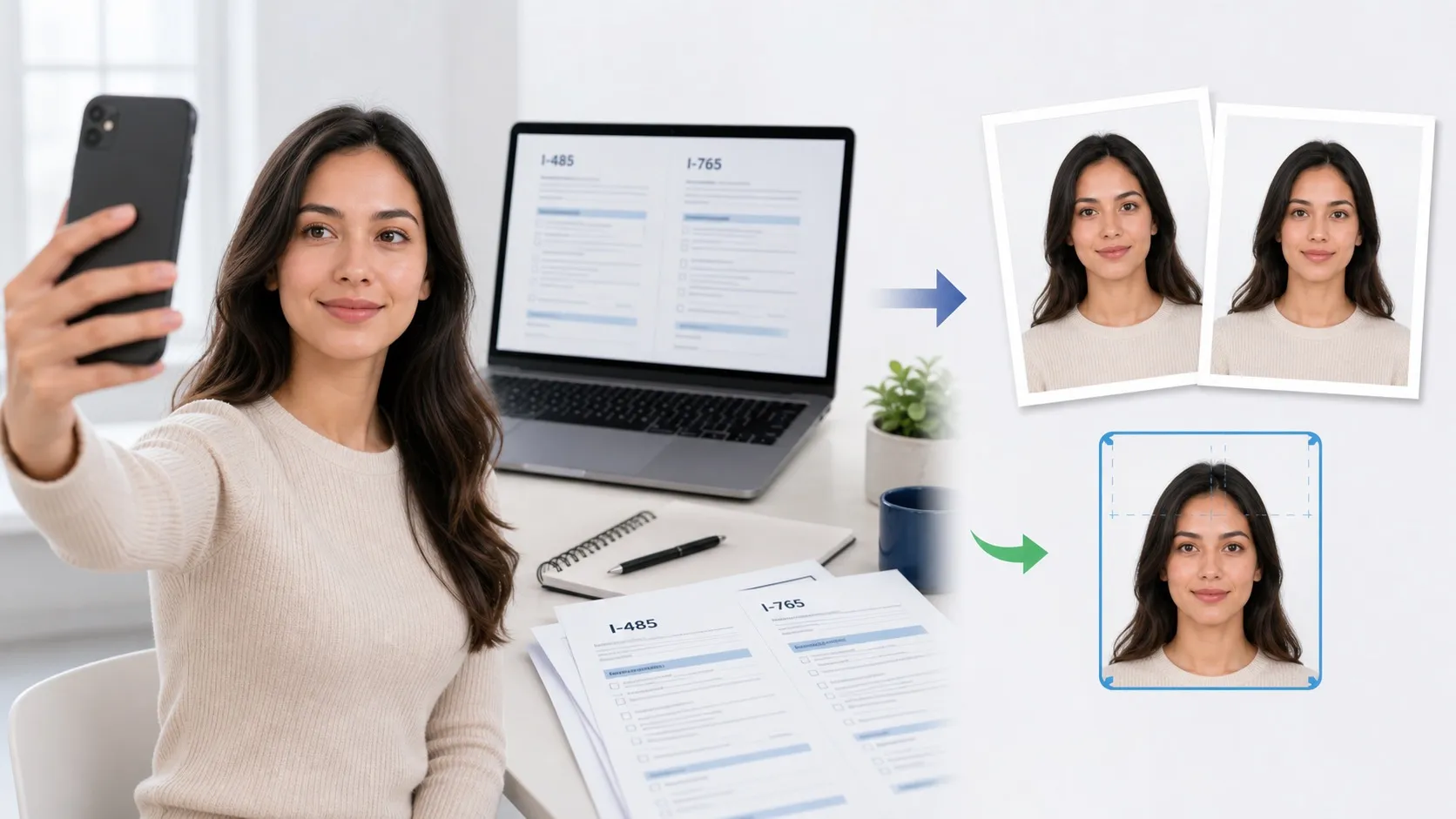
1. USCIS photos are two identical 2 × 2 inch prints
USCIS Form I-485 and Form I-765 instructions both describe two identical color passport-style photographs. Each photo should be 2 by 2 inches with a full-face, frontal view. For the printed photo, head height should measure 1 inch to 1⅜ inches from the top of the hair to the bottom of the chin, and eye height should measure 1⅛ inches to 1⅜ inches from the top of the eyes to the bottom of the photo.
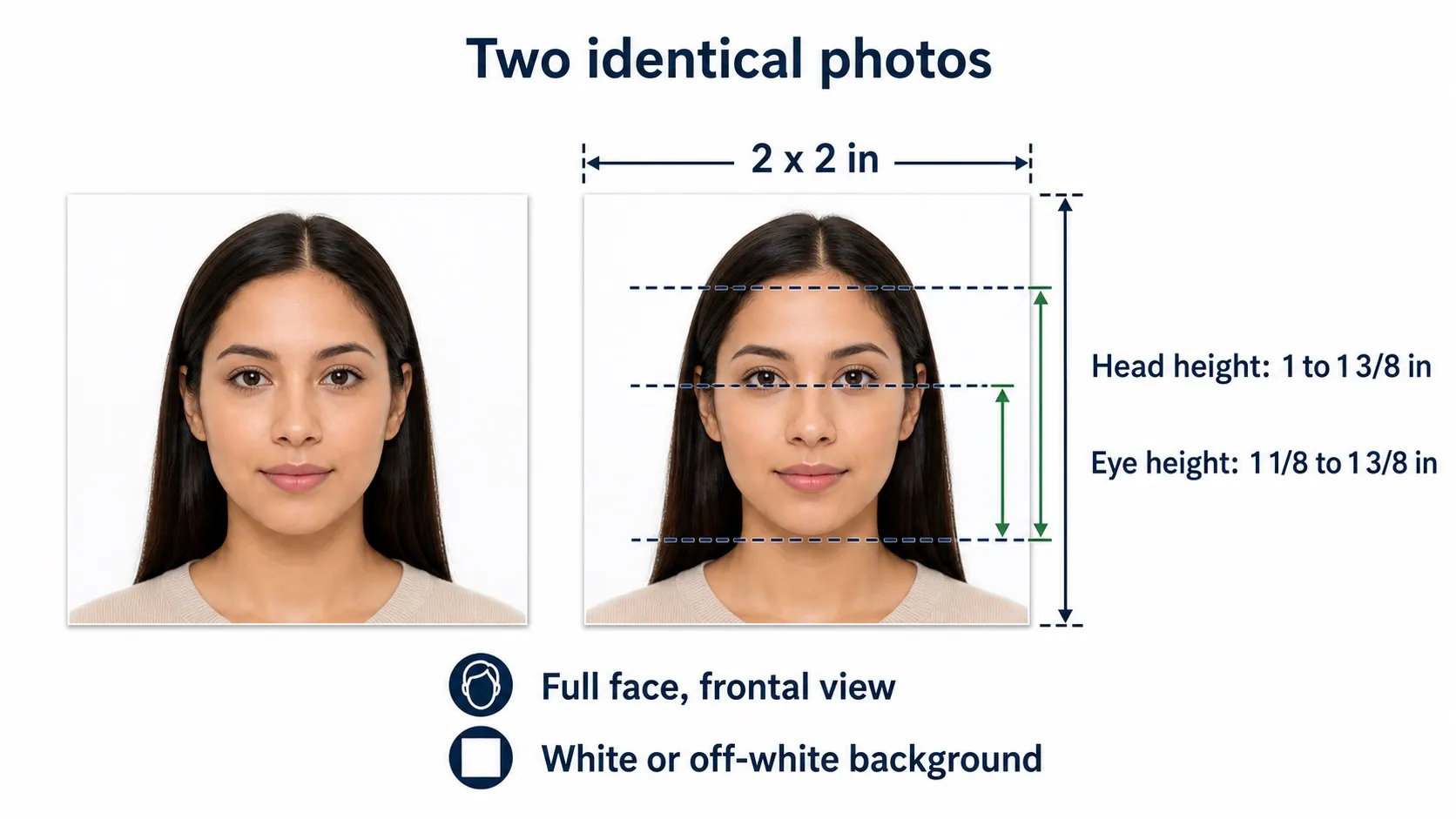
| Requirement | Official range | Why it matters |
|---|---|---|
| Photo count | Two identical color photos | I-485 and I-765 instructions describe two identical passport-style photos. |
| Photo size | 2 × 2 inches | Use a square print with a full-face frontal view. |
| Head height | 1 in to 1⅜ in | Measure from the top of the hair to the bottom of the chin. |
| Eye height | 1⅛ in to 1⅜ in | Measured from the top of the eyes to the bottom of the photo. |
| Background | White to off-white | Keep it plain, bright, and free from shadows or patterns. |
| Paper and mounting | Glossy thin paper; unmounted | Do not mount the prints to backing paper or damage the photo surface. |
| Retouching | Unretouched | Do not alter your appearance with filters, airbrushing or beautification. |
2. Print, label and package USCIS photos correctly
USCIS instructions require photos to be printed on thin paper with a glossy finish, unmounted, and unretouched. Use a pencil or felt pen to lightly print your name and A-Number, if any, on the back of each photo. Do not staple through the face area or damage the print when attaching photos to a mailed packet.
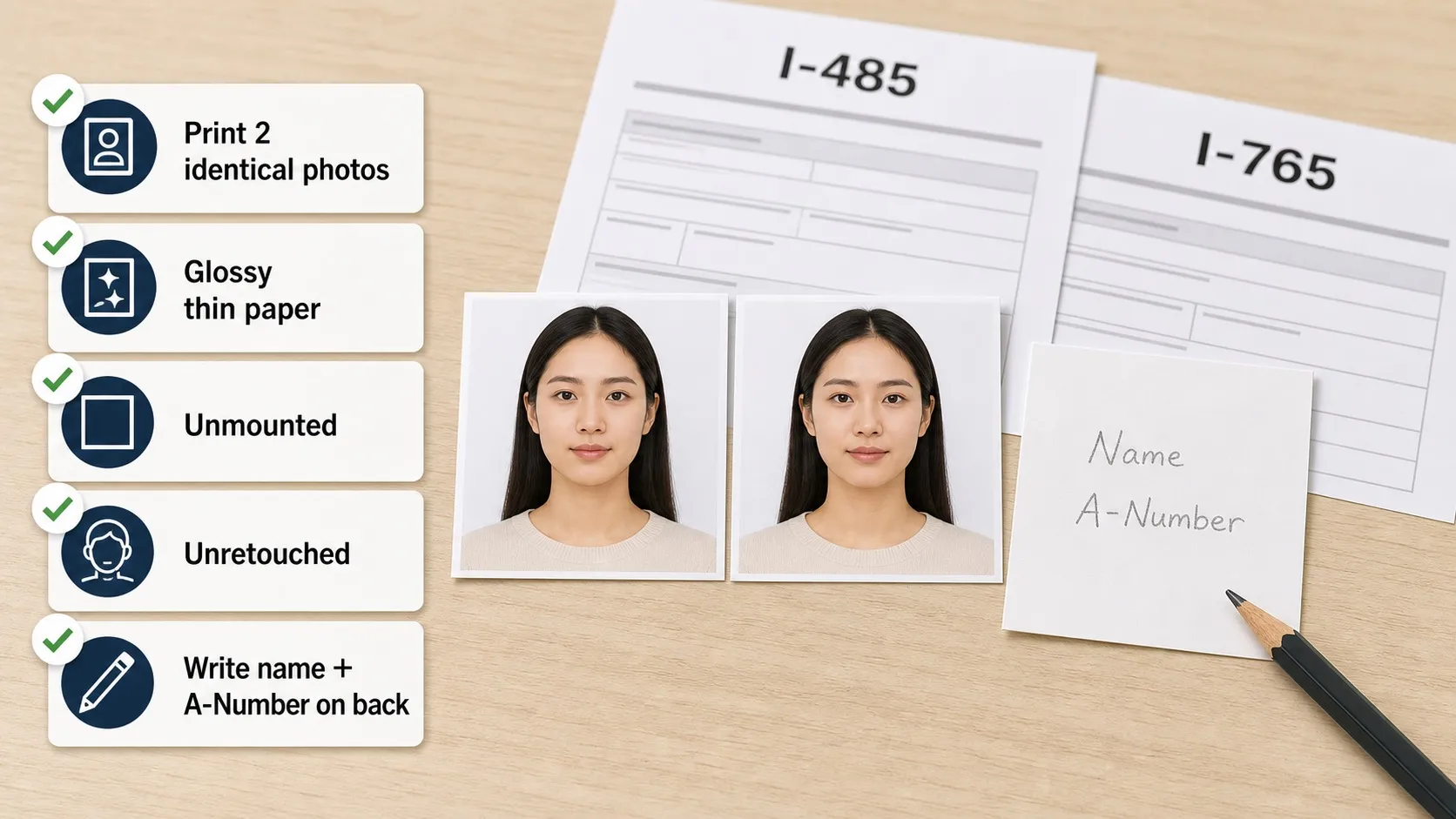
- Print two matching copies: use two identical photos from the same final image. Do not mix different shots, crops or print batches.
- Keep prints undamaged: use clean glossy thin paper and avoid staples, bends, scratches, ink marks or glue on the face area.
- Label the back lightly: lightly write the applicant name and A-Number, if any, on the back with a pencil or felt pen.
3. Face the camera directly with both eyes open
USCIS describes a full face, frontal view. Look straight into the camera, keep your head level, and avoid tilting, turning or looking away. Use a natural, neutral expression with both eyes open so the photo can be matched reliably to your immigration file and biometrics record.
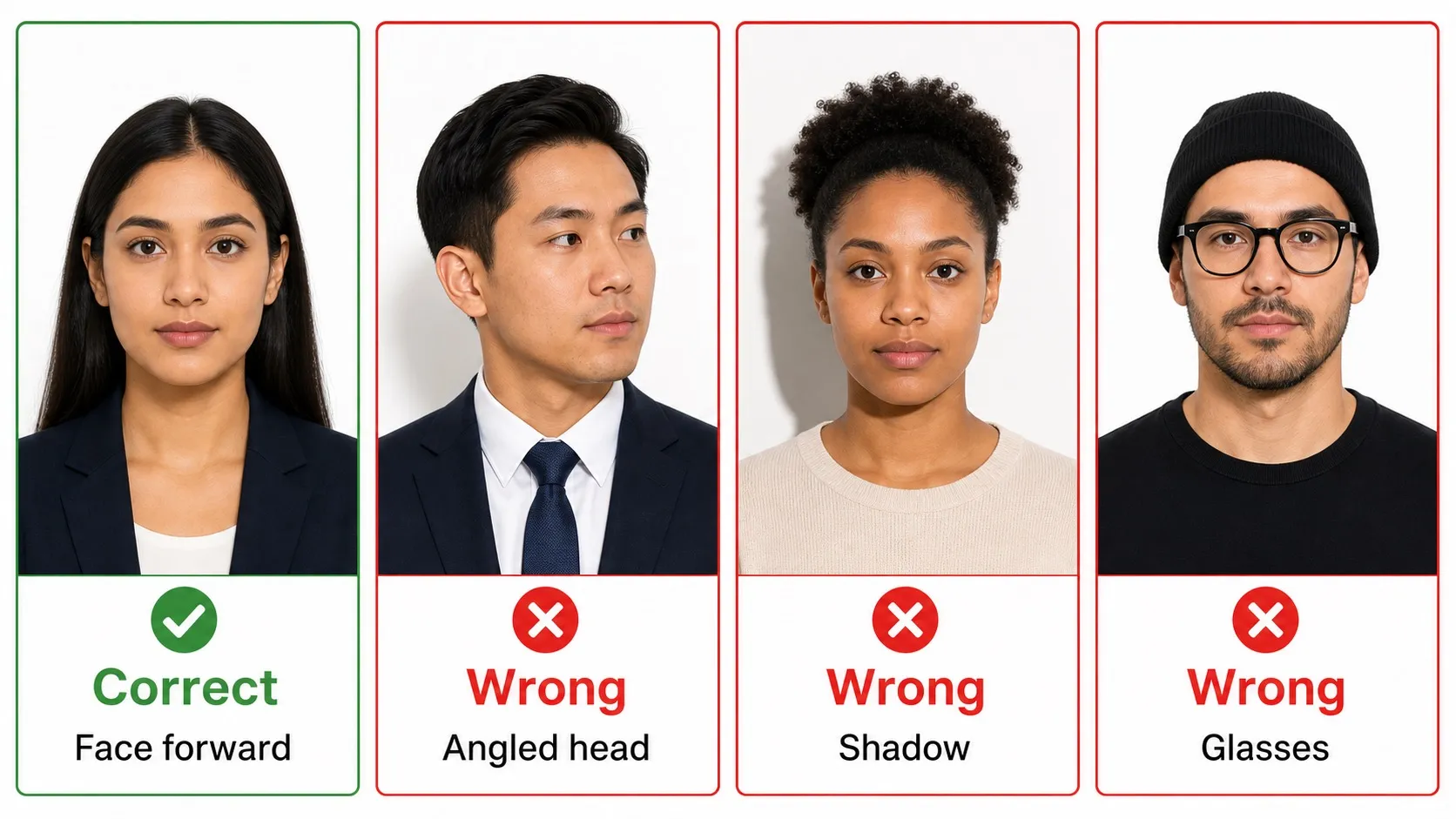
- Full face in view: face the camera directly. Do not rotate, tilt or angle the head.
- Eyes open, mouth closed: a neutral expression is safest; any natural smile should keep the mouth closed.
- No face obstruction: hair, shadows, glare, masks, hats or accessories must not cover the eyes, nose, mouth, jawline or face outline.
- Recent appearance: for adjustment filings, USCIS Policy Manual guidance says the photos must have been taken within 30 days of filing.
4. Wear everyday clothing and remove glasses
Everyday clothing is the safest choice for green card, EAD and other USCIS filing photos. USCIS instructions say the head must be bare unless you wear headwear required by your religious denomination. Keep the full face visible, avoid uniform-like clothing, and remove glasses or anything that creates glare or hides your eyes.
- Everyday clothing is best: avoid camouflage and uniform-like tops.
- Remove eyewear: take off eyeglasses, sunglasses and tinted glasses so the eyes are fully visible and free from glare.
- Head coverings need an exception: USCIS allows headwear required by a religious denomination, but the full face must remain visible.
- Jewelry is allowed if subtle: jewelry and facial piercings are acceptable when they don't hide the face, create glare or cast shadows.
5. Use recent, natural, print-ready USCIS photos
USCIS Policy Manual guidance for adjustment applications states that the photos must have been taken within 30 days of filing. Use a sharp, color-accurate photo with a clean background and print it on glossy thin paper. The photo should remain natural: do not reshape, beautify, airbrush, filter or otherwise retouch your appearance.
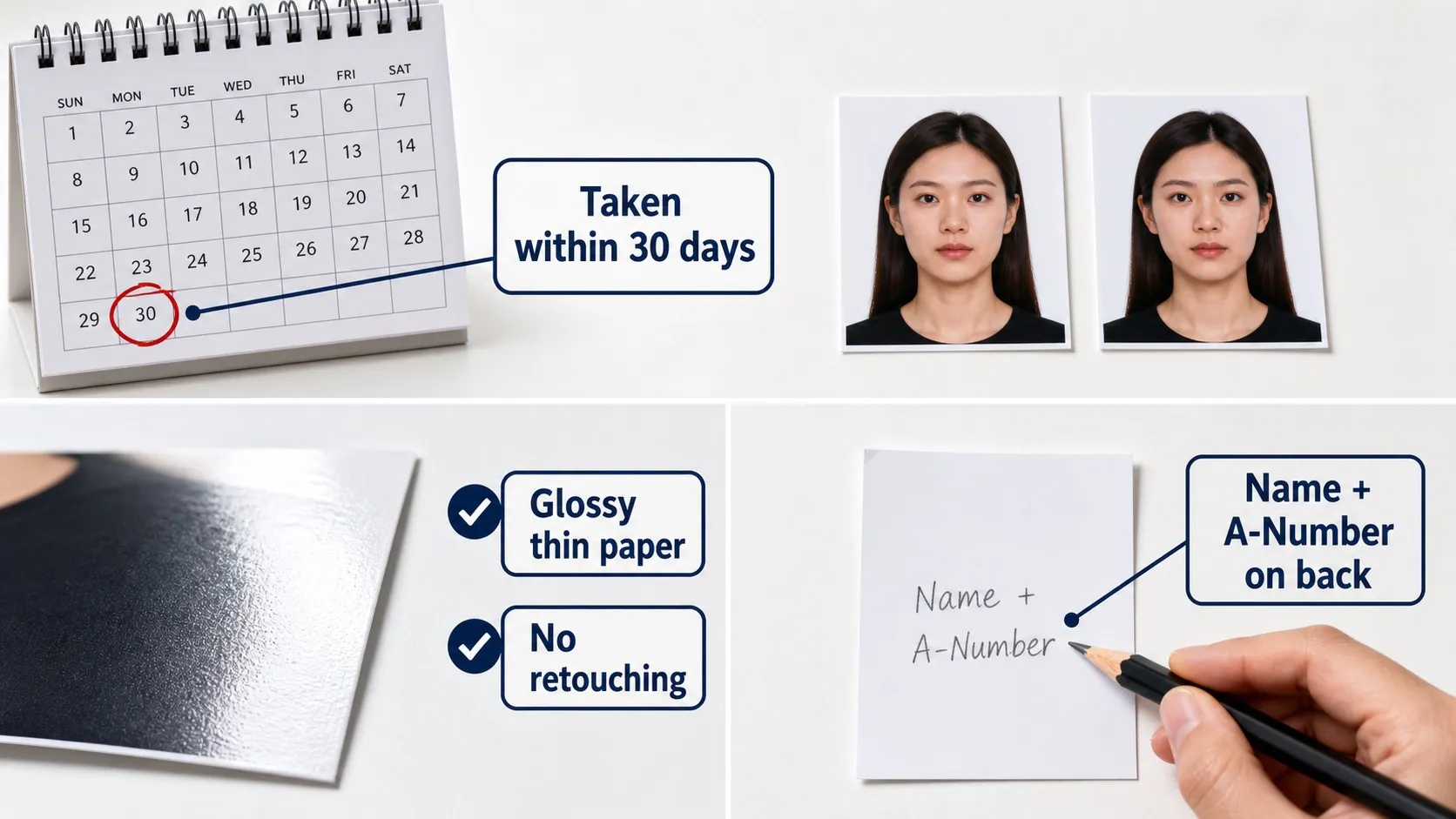
- Use a recent photo: a current photo reduces RFE risk and helps USCIS match the packet to your appearance.
- Print on the right paper: USCIS specifies thin paper with a glossy finish. Avoid matte paper, heavy cardstock or mounted photos.
- Prepare without changing appearance: sizing, cropping and background preparation should preserve the natural face.
- Review before submitting: the final decision is made by USCIS — check the latest instructions for your exact form before mailing.
Common USCIS photo mistakes
Many USCIS photo problems are practical: only one photo, non-identical copies, wrong head size, shadows, off-white backgrounds that are too dark, damaged prints, or missing name and A-Number notes on the back.
- Only one photo or mismatched copies: when a filing requires photos, USCIS calls for two identical passport-style photos.
- Wrong head size or position: photos taken too close, too far or off-center fail the 2 × 2 inch head and eye height rules.
- Bad lighting or shadows: over/under-exposure and side or background shadows obscure features.
- Missing back-of-photo label: if you have an A-Number, lightly print your name and A-Number on the back as the form instructions describe.
Official sources
This checklist is based on USCIS form instructions and USCIS Policy Manual guidance. Always check the latest instructions for the specific form and filing category you are submitting.
- USCIS Form I-485 instructions (PDF) — official photo size, paper, background and A-Number guidance.
- USCIS Form I-765 instructions (PDF) — employment authorization photo evidence, including two identical passport-style photos.
- USCIS Policy Manual: Adjustment of Status initial evidence — photos must be 2 × 2, passport-style, unmounted, unretouched, and taken within 30 days of filing.
- USCIS Form I-485 page — Application to Register Permanent Residence or Adjust Status.
- USCIS Form I-765 page — Application for Employment Authorization.