U.S. passport photo requirements explained in detail
Reviewed July 2026. Based on U.S. Department of State guidance — the final acceptance decision is always made by the reviewing passport authority.
A U.S. passport photo looks simple, but small details cause real delays: the file must be the right 2 × 2 inch size, the head must be correctly framed, the background must be plain, and nothing may hide or alter your face. This guide explains the official rules and shows what to check before you submit your application.
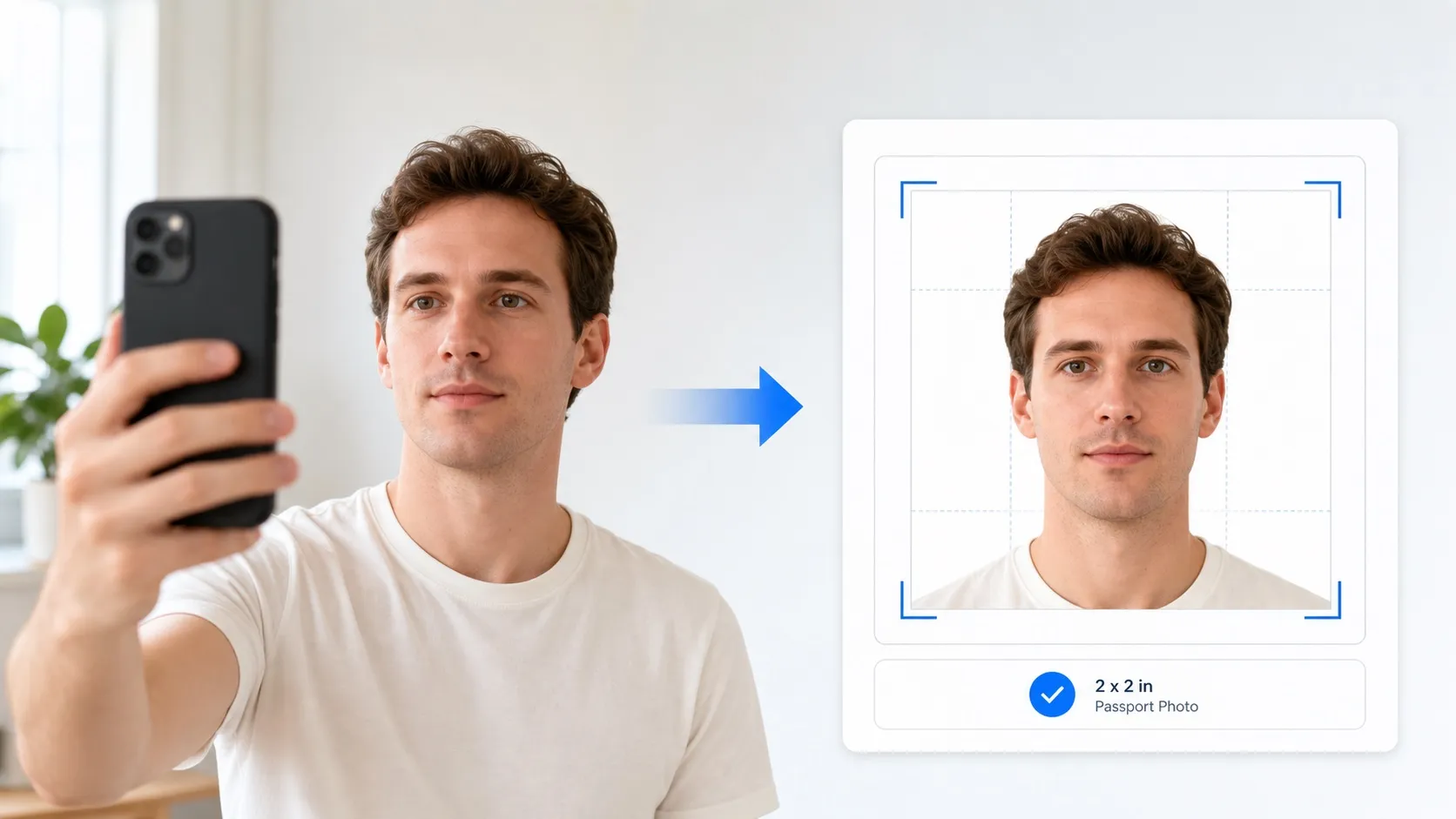
1. U.S. passport photo size is 2 × 2 inches
For a paper passport application, the printed photo must be exactly 2 × 2 inches (51 × 51 mm). The head should be centered in the square frame, measured from the bottom of the chin to the top of the head including hair. The official composition template places head height between 1 inch and 1⅜ inches (25–35 mm).
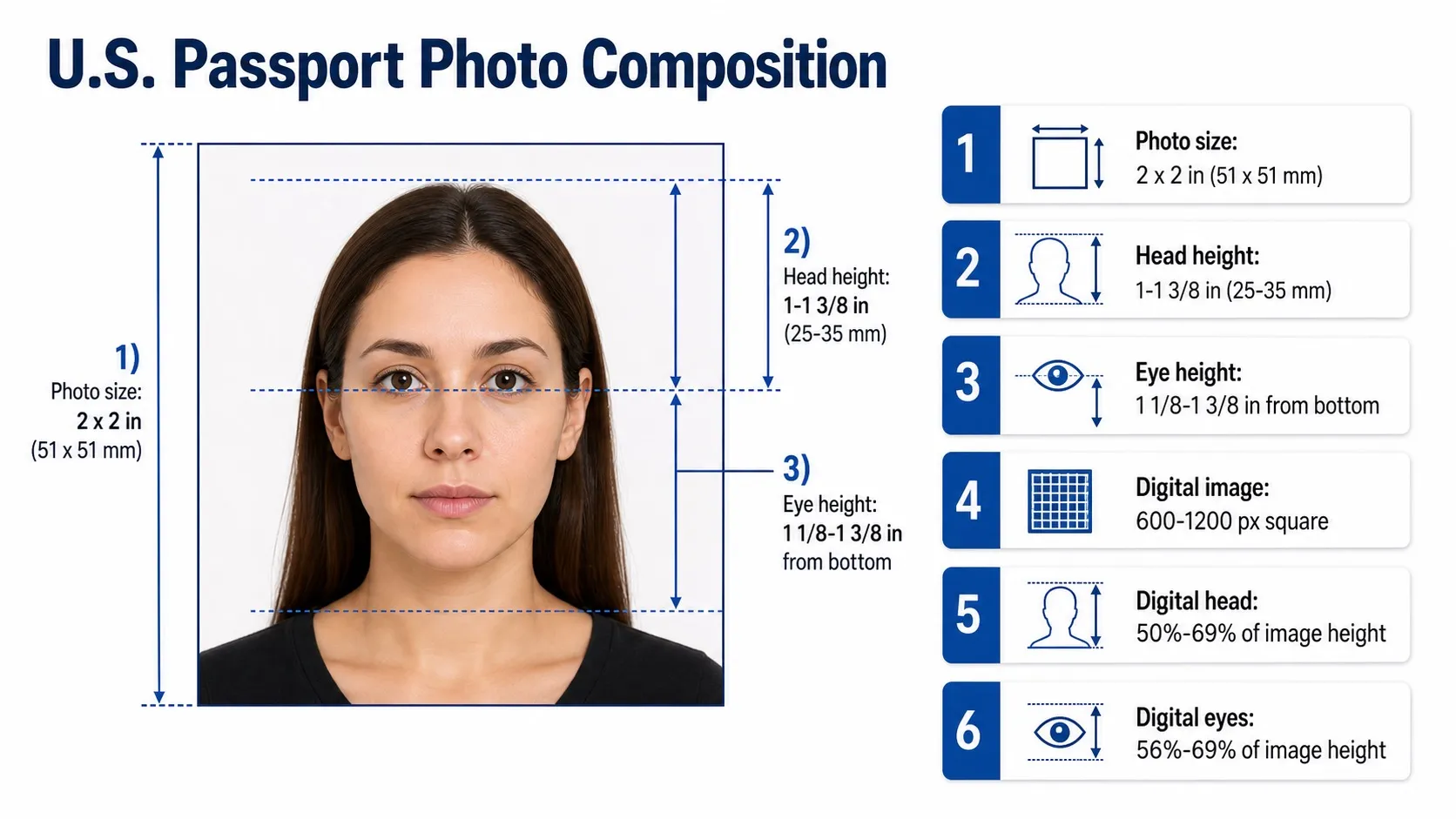
| Requirement | Official range | Why it matters |
|---|---|---|
| Printed photo size | 2 × 2 inches (51 × 51 mm) | The final passport photo is a square print. |
| Head size | 1 in to 1⅜ in (25–35 mm) | Measured from the bottom of the chin to the top of the head, including hair. |
| Eye height on paper photo | 1⅛ in to 1⅜ in from bottom | The official template uses this range to keep the face naturally positioned. |
| Digital image dimensions | 600 × 600 to 1200 × 1200 px | The official digital template requires a square image. |
| Digital head percentage | 50% – 69% of image height | Top of head to bottom of chin should fall within this range. |
| Digital eye height | 56% – 69% of image height | Measured from the bottom of the image to eye level. |
2. Use a plain white or off-white background
The background should be simple and distraction-free: white or off-white, with no texture, lines, objects or visible shadows. Lighting should be even across the face and background — side lighting, overhead lighting, harsh phone flash and dim indoor lighting all create shadows or exposure problems.
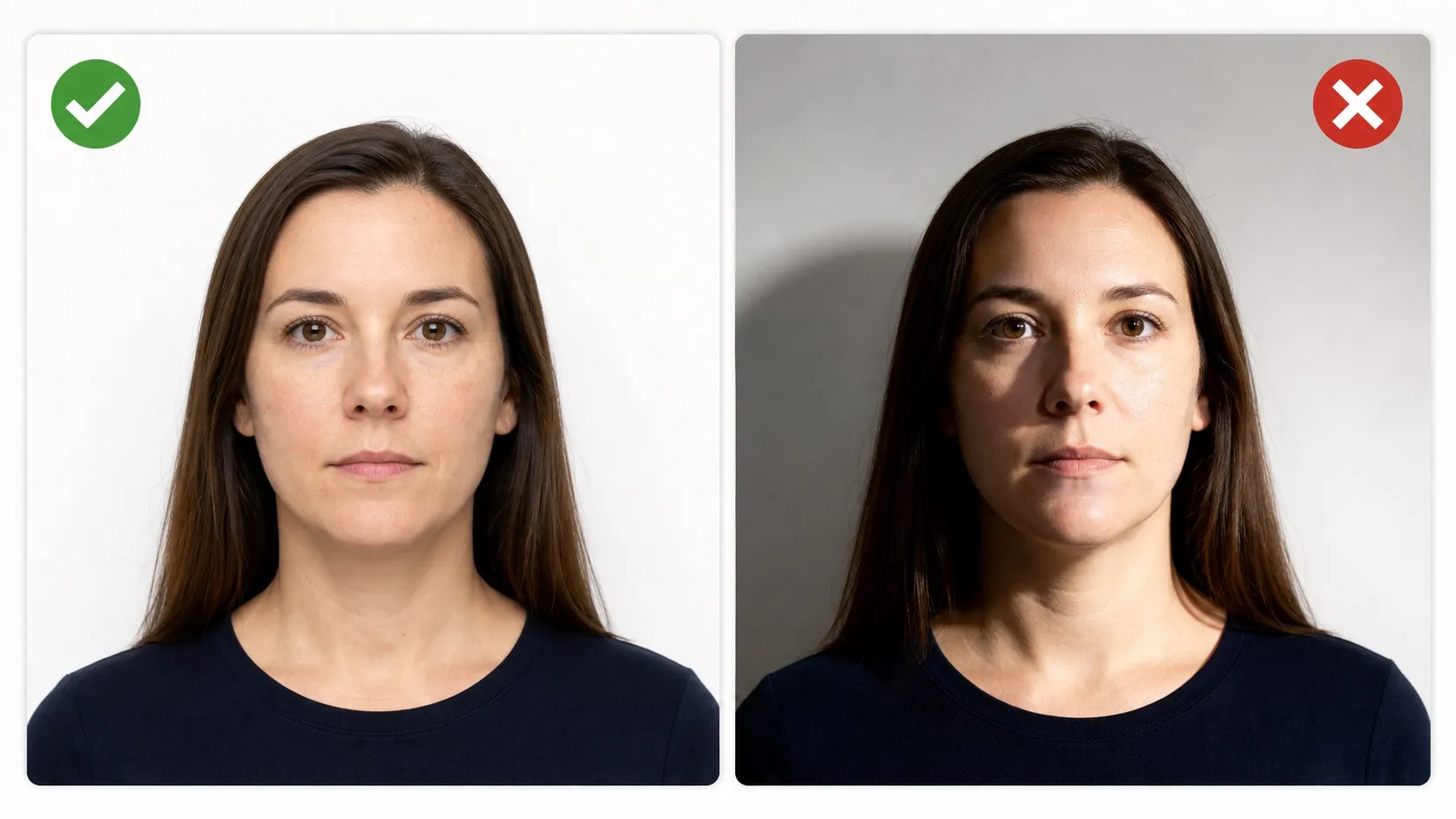
- Use a plain wall: stand in front of a white or off-white wall without panels, patterns, furniture or decorations — or let our AI replace the background entirely.
- Avoid shadows: move away from the wall and use soft front lighting so face and background stay evenly lit.
- Keep exposure balanced: not too bright, not too dark, not blurry, grainy or heavily compressed.
3. Face the camera directly with both eyes open
Your passport photo must show a clear, current image of your full face. Look straight into the camera, keep your head level, and avoid tilting or turning. A neutral expression is safest; a natural smile is only appropriate when your mouth remains closed and both eyes stay open.
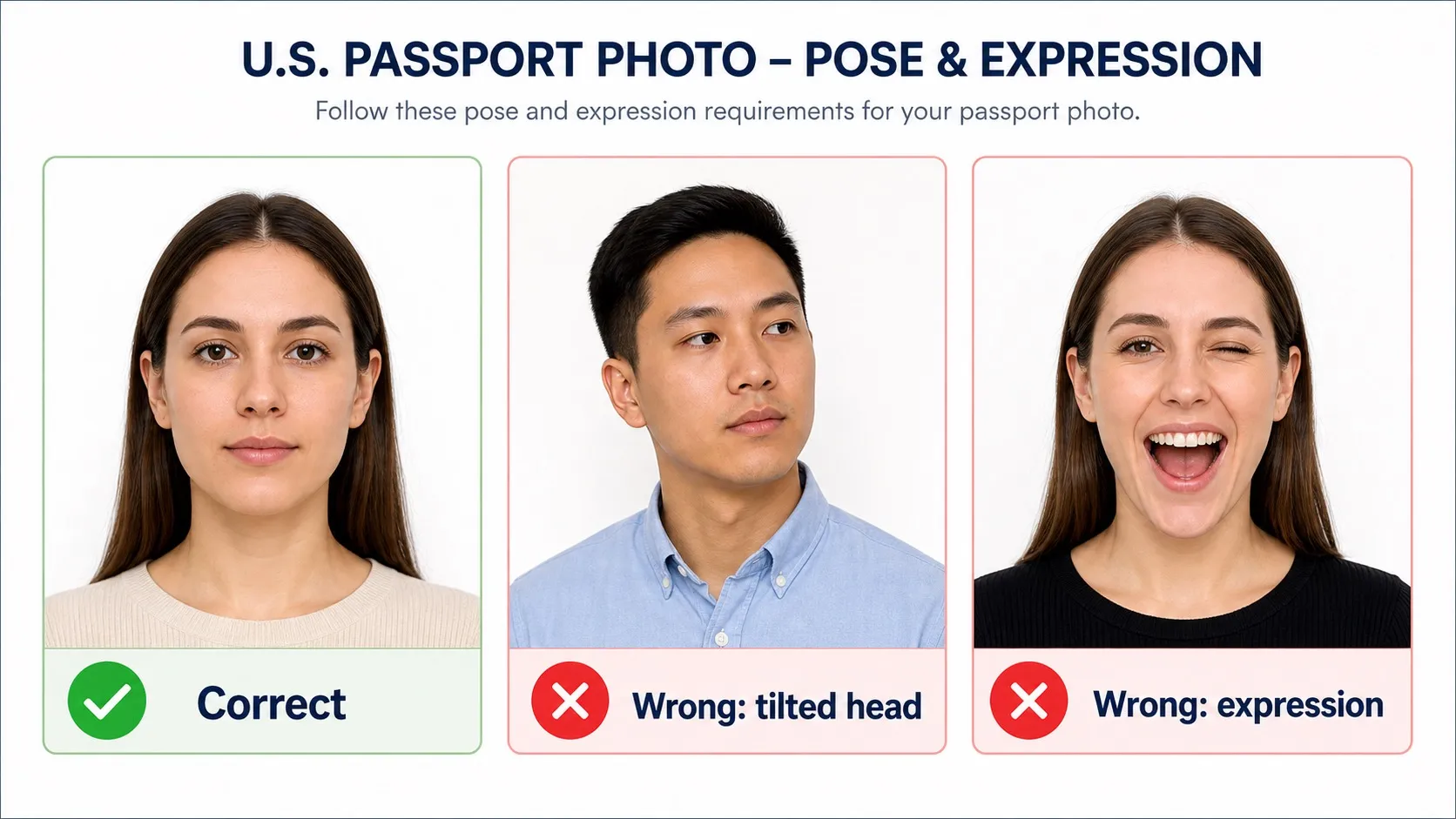
- Full face in view: face the camera directly. Do not rotate, tilt or angle the head.
- Eyes open, mouth closed: a neutral expression is safest; any natural smile should keep the mouth closed.
- No face obstruction: hair, shadows, glare, masks, hats or accessories must not cover the eyes, nose, mouth, jawline or face outline.
- Recent appearance: use a color photo taken within the last 6 months.
4. Wear normal clothing and remove glasses
Everyday clothing works best. Avoid uniforms, clothing that looks like a uniform, camouflage patterns, headphones, hands-free devices and anything that blocks part of the face. Eyeglasses must be removed unless a medical exception applies and the application includes a signed doctor's note.
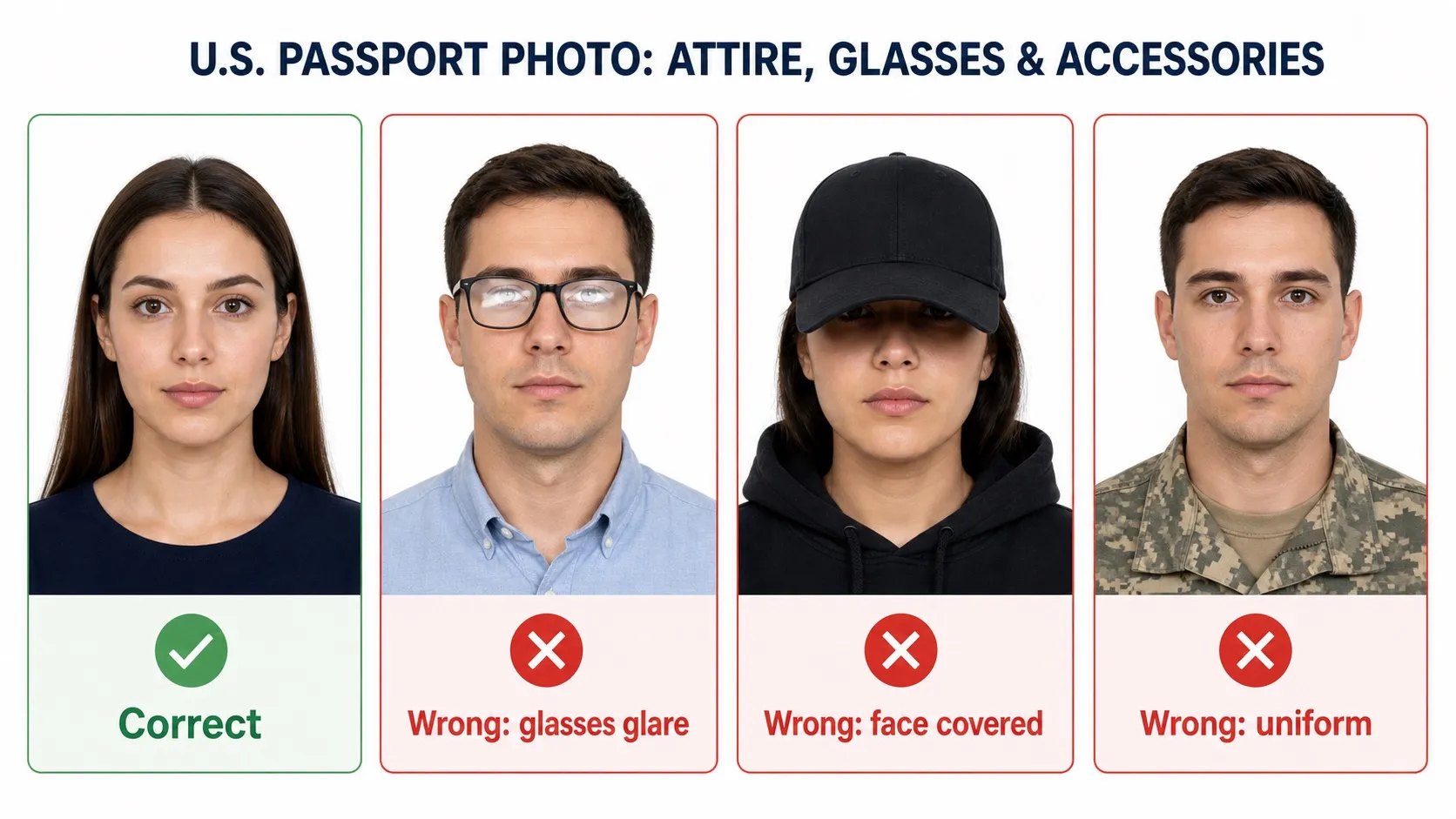
- Everyday clothing is best: avoid camouflage and uniform-like tops.
- Remove eyewear: take off eyeglasses, sunglasses and tinted glasses unless you qualify for a medical exception.
- Head coverings need an exception: religious or medical head coverings may be allowed, but the full face must be visible and the covering must not cast shadows.
- Jewelry is allowed if subtle: jewelry and facial piercings are acceptable when they don't hide the face, create glare or cast shadows.
5. How to take a passport photo at home
You don't need a photo studio. Stand facing a window in daylight (even, indirect light avoids shadows), hold the camera at eye level about 4 feet away, and keep a neutral expression. Don't worry about the background or exact framing — that's what the AI fixes.
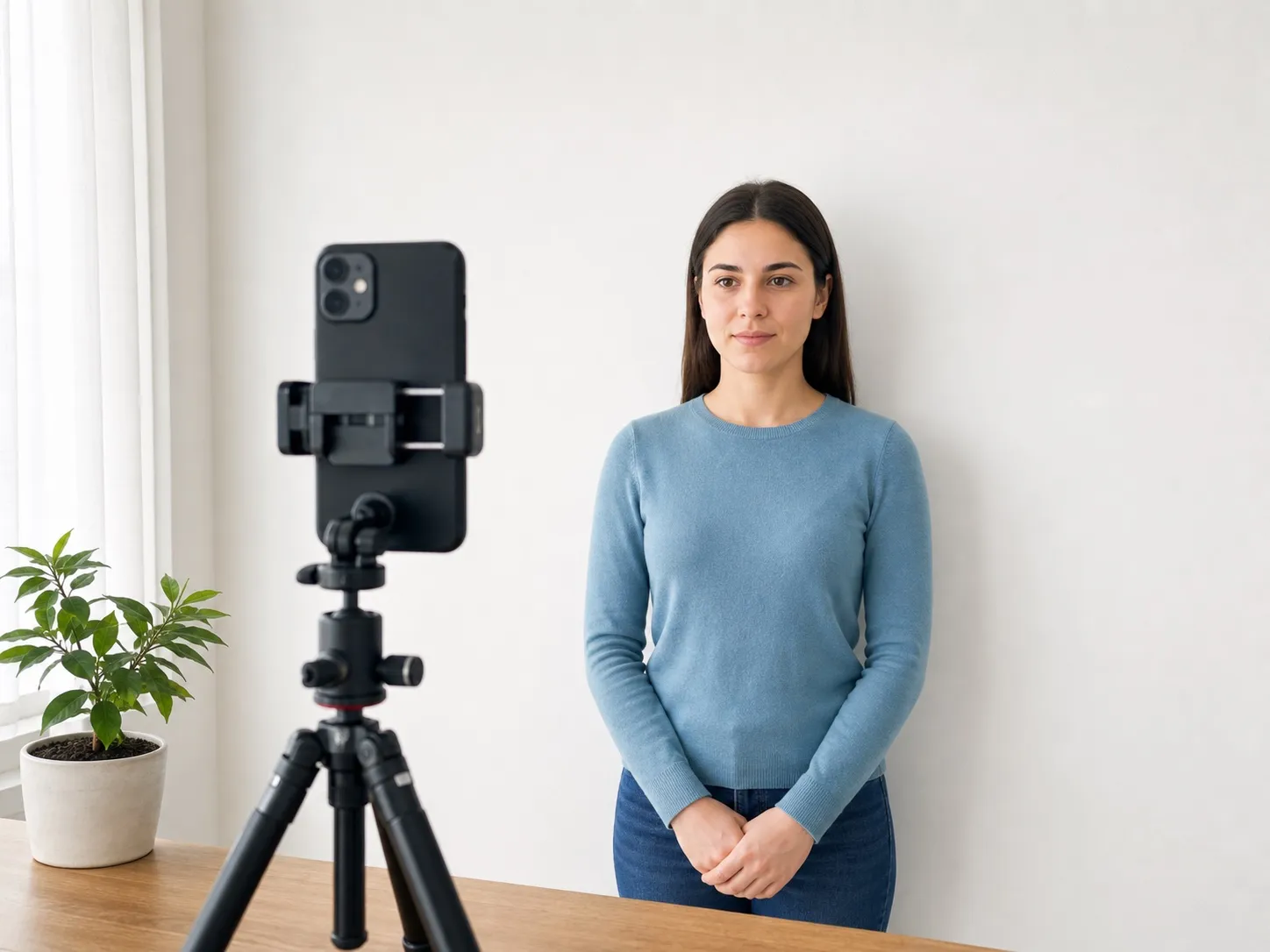
Upload the photo above, and in about 20 seconds you'll get a preview with a compliant white background and correct head proportions. The HD download costs $2.99 — including a print-ready 4×6 inch sheet most pharmacies print for under a dollar, versus $14.99–$16.99 at a pharmacy photo counter.
Photographing a baby or infant? The same at-home workflow works from birth — see the dedicated baby passport photo guide for the white-sheet method and the infant-specific rules (including the eyes-closed exemption for newborns).
Common U.S. passport photo mistakes
Many rejected photos fail for practical reasons: wrong head size, uneven lighting, glare, hidden facial features, non-plain backgrounds, or digital edits that change the applicant's appearance.
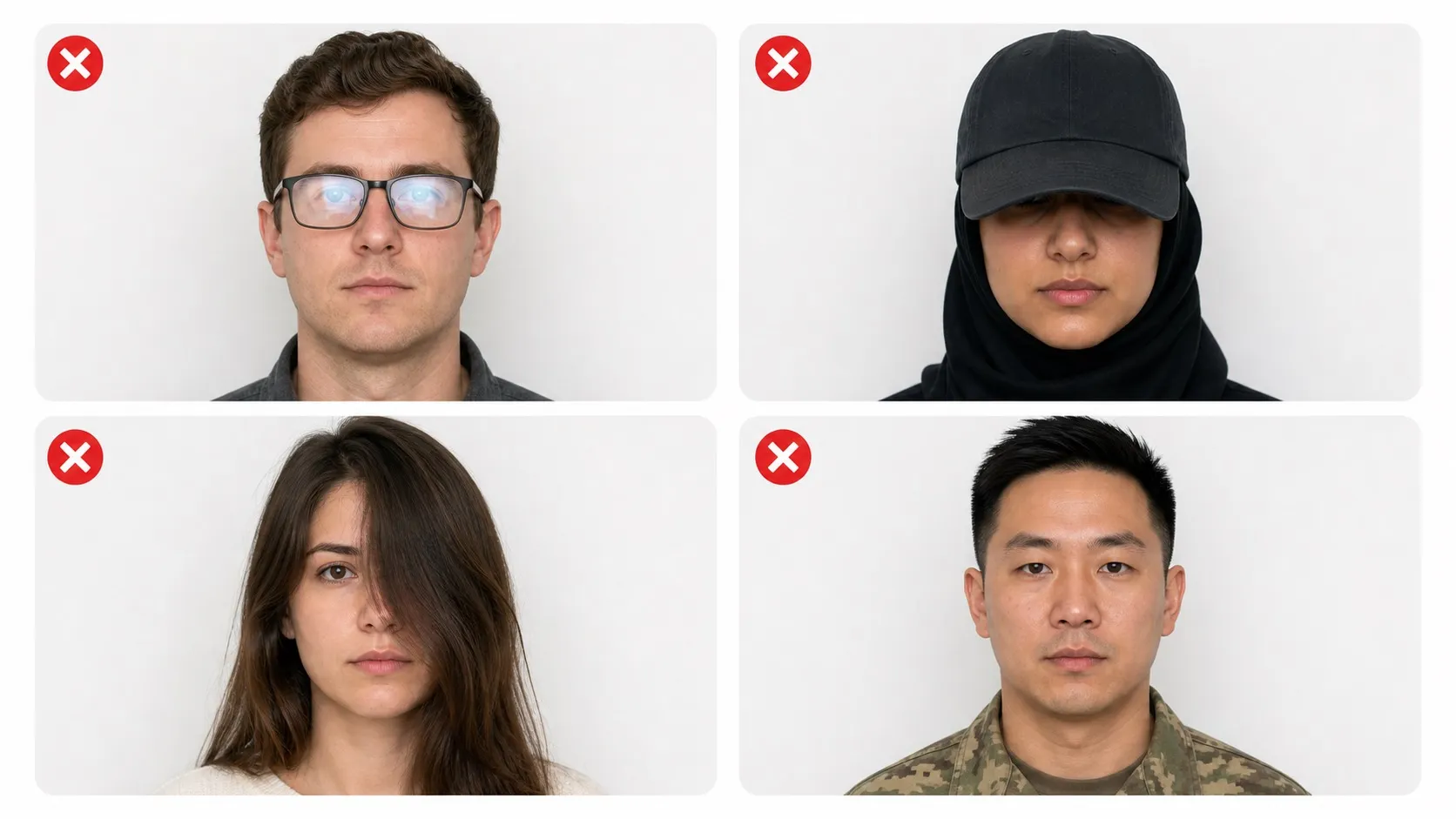
- Digital retouching or AI beautification: do not reshape, filter or otherwise change your face or appearance.
- Wrong head size or position: photos taken too close, too far or off-center fail the composition template.
- Bad lighting or shadows: over/under-exposure and side or background shadows obscure features.
- Glasses, hats or uniforms: glasses are not allowed; head coverings need a religious or medical exception.
For the complete list — including the 2026 AI-editing rule and the 90-day resubmission window after a rejection — see why passport photos get rejected: 12 reasons.
Official sources
This checklist is based on U.S. Department of State guidance. The final acceptance decision is always made by the reviewing passport authority.
- State Department passport photo page — official photo tips: print size, background, glasses, attire.
- Photo composition template — official head size, eye height and digital composition ranges.
- Official photo examples — lighting, size, pose, attire and background examples.