
What rejection actually costs you
Reviewed July 2026, based on U.S. Department of State guidance. When a photo fails review, the application doesn't just bounce — it goes on hold. A letter explains the problem, and you have 90 days to deliver a compliant replacement before the application is cancelled with no fee refund. For anyone with travel booked, that letter is the real cost: days or weeks of hold time for a two-minute photo problem.
The good news hiding in the rules: every rejection reason is knowable in advance. Here is the full list — each with why it fails and how it's automatically avoided when the file is prepared to the official template.
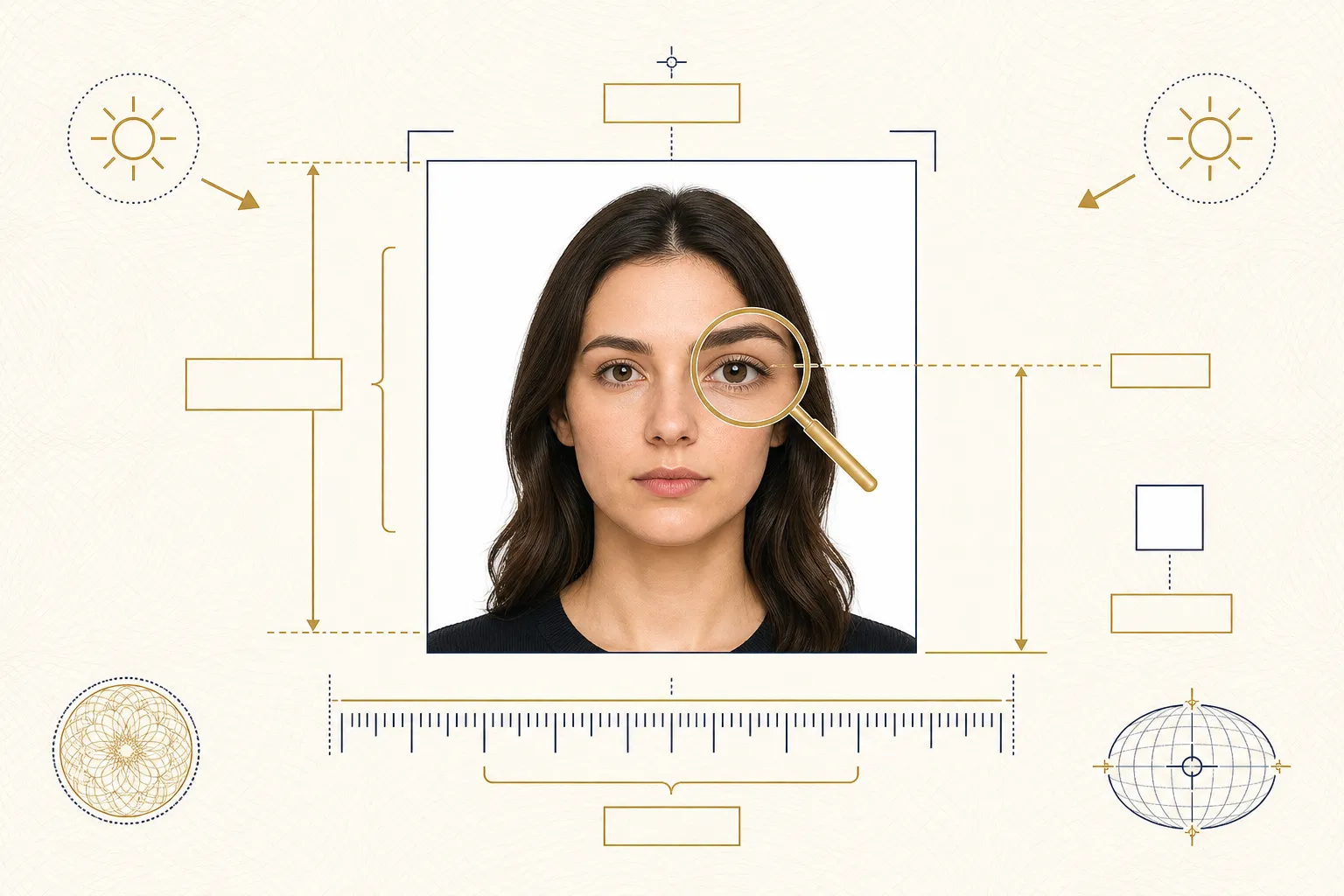
1. Shadows on the face or background
The single most common practical failure. Overhead lights carve eye-socket shadows; standing close to a wall throws a hard silhouette behind you; direct sun blows out one side of the face. Reviewers reject anything that obscures facial features or breaks the uniform background.
How it's avoided automatically: Our AI replaces the entire background with a uniform regulation white and rebalances facial lighting, so wall shadows disappear by construction. You still want decent front light on your face — the free preview shows instantly whether it worked.
2. Head too large or too small in the frame
The head must measure 1–1⅜ inches chin-to-crown on a 2×2″ print (50–69% of a digital frame). Selfie-distance shots run too big; "send me a photo of you" shots from across the room run too small. This is the top composition rejection.
How it's avoided automatically: The official head-size template is baked into every preset. The AI detects your head position and crops so the proportion lands mid-band — not at the risky edges.
3. Eyes positioned at the wrong height
A companion rule to head size: eye level must sit 1⅛–1⅜ inches from the photo's bottom edge (56–69% digitally). Photos cropped by hand routinely violate it even when head size is right.
How it's avoided automatically: Same template, same automation — head band and eye line are solved together, which hand-cropping almost never gets right on the first try.
4. Background isn't plain white
Gray reads as "not white" to reviewers; cream walls, textured wallpaper, door frames and furniture edges are instant flags. Automated checkers additionally measure background uniformity in pixels.
How it's avoided automatically: Total background replacement, not filtering: the AI separates you from whatever is behind you and composites a clean white field that passes both human and automated checks.
5. Wearing glasses
Banned outright since November 2016 — clear lenses, thin frames, everyday prescriptions included. The only exception is a medical need documented with a signed doctor's statement submitted with the application.
How it's avoided automatically: No tool can legitimately remove glasses (that would be facial alteration). Take the photo without them — everything else about a bare-faced quick selfie, our AI handles.
6. AI-beautified or altered appearance
Enforcement expanded in January 2026: faces that have been smoothed, slimmed, reshaped or generated outright are rejected, and filtered social-media photos fail the same test. The State Department wants the sensor's truth about your face.
How it's avoided automatically: This is a design principle for us, not an afterthought: our prompts explicitly forbid the model from retouching, beautifying or reshaping features. We do what a photo lab does — crop, background, exposure — and nothing a photo lab wouldn't.
7. Photo older than six months
The photo must show your current appearance. Reusing last year's visa photo, or any shot that predates a major appearance change, invites rejection — reviewers cross-check against your previous documents.
How it's avoided automatically: The workflow takes two minutes from fresh selfie to finished file, so there's never a reason to recycle an old photo. Shoot new, upload, done.
8. Wrong expression
Mouth open, teeth showing, exaggerated smile, squinting or closed eyes (infants exempt), raised eyebrows — anything beyond neutral-or-slight-natural-smile risks the "unusual expression" flag.
How it's avoided automatically: The AI never invents an expression — that would cross the alteration line — so the preview doubles as your expression check. Neutral face, eyes open, mouth closed at capture time; the tool guarantees everything else.
9. Blurry, grainy or over-compressed image
Out-of-focus faces, low-light noise, motion blur and JPEG artifacts from repeated re-saving all fail the sharpness bar. Screenshots of photos are a notorious source of invisible quality loss.
How it's avoided automatically: Upload the original camera file, not a screenshot or chat-app forward. Our pipeline preserves detail through processing and exports at full quality within the official compression limits.
10. Wrong dimensions or file mechanics
Online portals bounce photos on pure mechanics: not square, under 600 or over 1200 pixels, wrong format, or over the DS-160's 240 KB cap. The photo can look perfect and still fail sight-unseen.
How it's avoided automatically: Each preset exports to its target system's exact spec — square 600–1200 px JPEG for U.S. applications, 33×48 mm proportions for China's COVA, India's square windows — file size included. Mechanics become a non-issue.
11. Hats, headphones and head coverings
Hats and caps are rejected; AirPods and headphones (a rising selfie-era failure) likewise. Religious head coverings worn daily are permitted only when the full face stays visible with no shadows cast.
How it's avoided automatically: Remove accessories before shooting — like glasses, they can't be honestly edited away. The preview makes any forgotten earbud obvious before you pay.
12. Uniforms and camouflage clothing
Clothing that resembles a uniform — including camouflage patterns and work uniforms with insignia — is barred by rule. It's the least-known reason on this list and a genuine surprise rejection.
How it's avoided automatically: Wear ordinary clothing; dark solid colors photograph best against white. Our China and India presets even note dark clothing in their composition guidance since it improves automated shoulder detection.
Already holding a rejection letter?
Don't re-shoot blind. Read the stated reason, fix that specific issue at capture time (glasses off, accessories out, fresh photo if recency was the problem), then run the new shot through the passport photo maker — it applies the head-size template, background, lighting and file mechanics in one pass, with a free preview so you can see the compliant result before spending $2.99. Applying for something else? The same engine powers the DS-160 visa preset, the USCIS green card preset and country-specific China and India visa formats — and for the youngest applicants, see the baby passport photo guide.